> ## Documentation Index
> Fetch the complete documentation index at: https://guides.seenmarkets.com/llms.txt
> Use this file to discover all available pages before exploring further.
# Giveaways
> Engage shoppers and build your market community with digital giveaways
## Overview
Create giveaways featuring prizes from your market vendors. Giveaways drive foot traffic to vendor booths, build your market's social media following, and collect shopper contact info for future marketing.
## Accessing Giveaways
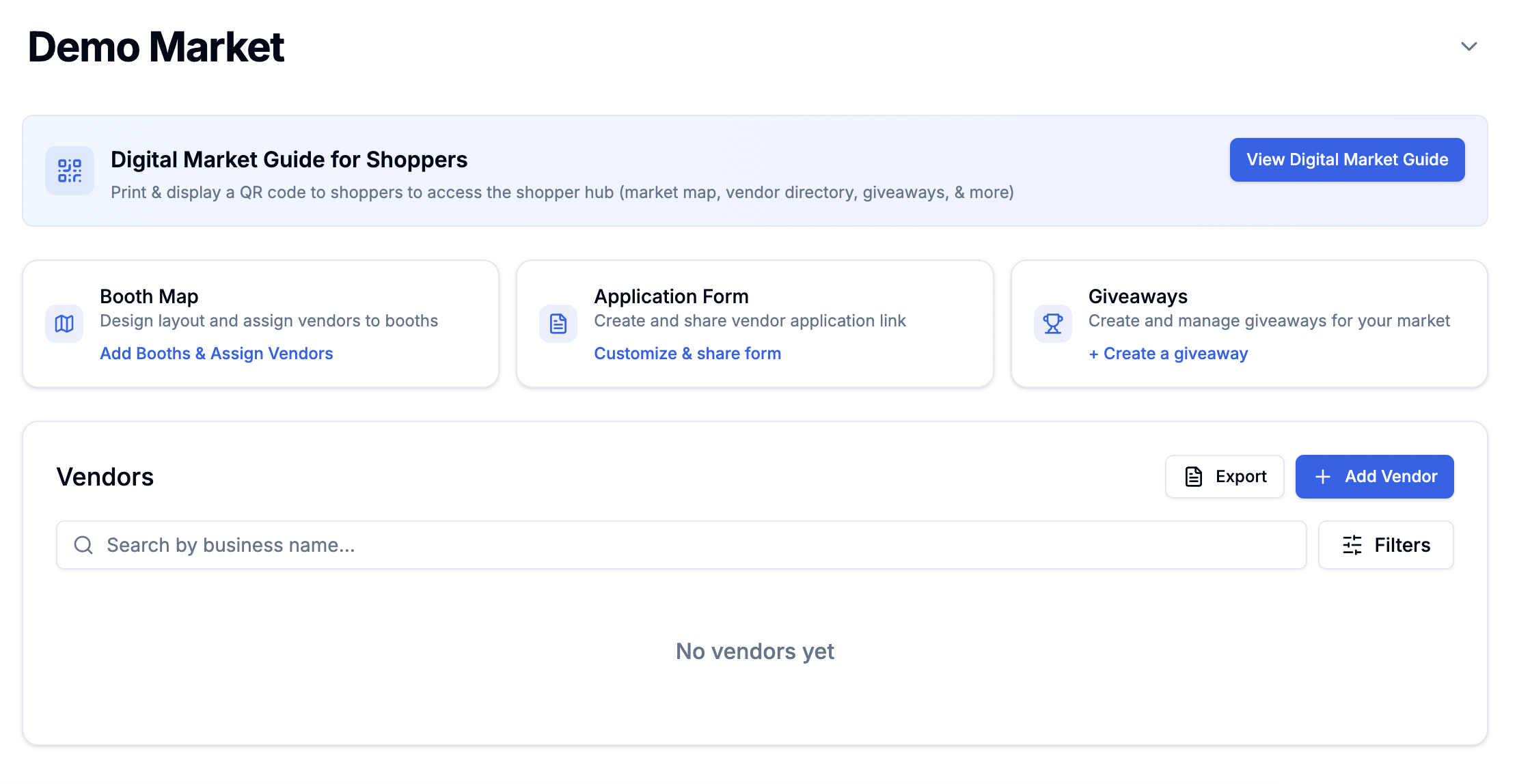
Open your market's management page and click the **Giveaways** card.
 ## Managing Giveaways
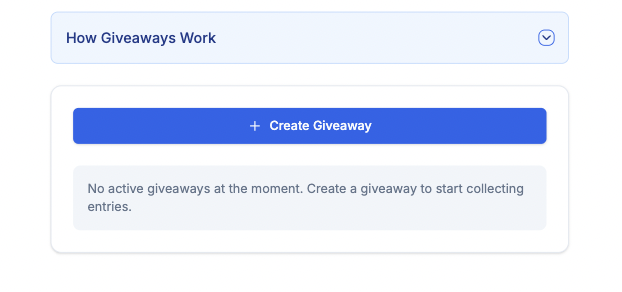
The giveaways dashboard shows all giveaways for your market:
## Managing Giveaways
The giveaways dashboard shows all giveaways for your market:
 ## Creating a Giveaway
### Step 1: Giveaway Details
## Creating a Giveaway
### Step 1: Giveaway Details
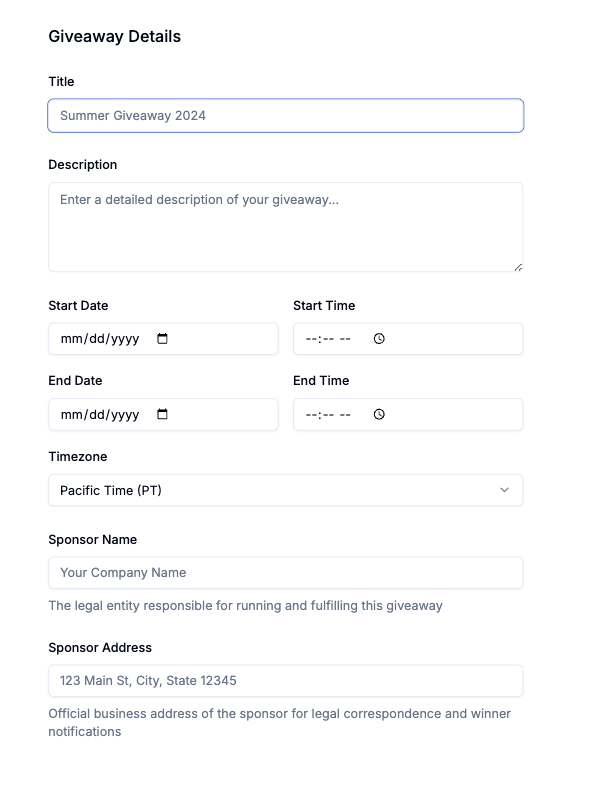 Fill out:
* **Giveaway name**
* **Description**
* **Start and end dates**
* **Entry requirements**
### Step 2: Add Prizes
Fill out:
* **Giveaway name**
* **Description**
* **Start and end dates**
* **Entry requirements**
### Step 2: Add Prizes
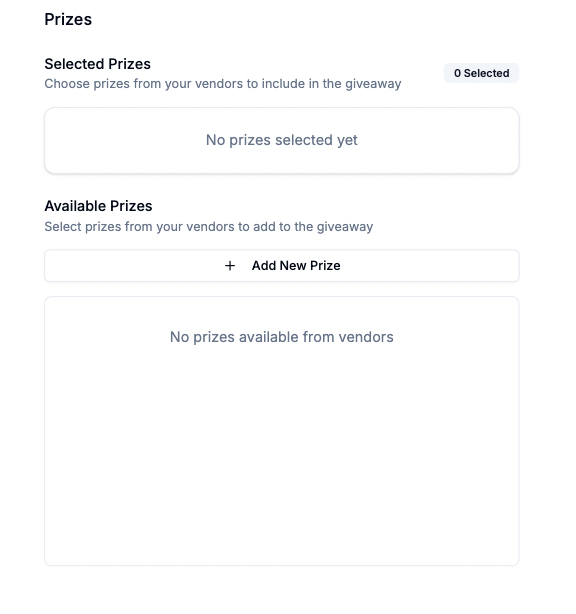 * Select prizes from participating vendors (if vendors indicated prize contributions on their application).
* Add multiple prizes from different vendors.
* Each prize can include the vendor's name and value.
You can create multiple giveaways per market, each with different vendor
prizes and timeframes.
### Step 3: Social Follow Requirements
Configure which social accounts shoppers must follow to enter. You can require follows for the **market** and/or **participating vendors** on:
* **Instagram**
* **TikTok**
* **X (Twitter)**
* **Facebook**
* **YouTube**
This is optional — you can run giveaways without social follow requirements.
### Step 4: Legal Requirements
Review and customize:
* Standard legal terms.
* Optional privacy policy.
* Entry rules and conditions.
## Managing Active Giveaways
Once created, manage your giveaway:
* Select prizes from participating vendors (if vendors indicated prize contributions on their application).
* Add multiple prizes from different vendors.
* Each prize can include the vendor's name and value.
You can create multiple giveaways per market, each with different vendor
prizes and timeframes.
### Step 3: Social Follow Requirements
Configure which social accounts shoppers must follow to enter. You can require follows for the **market** and/or **participating vendors** on:
* **Instagram**
* **TikTok**
* **X (Twitter)**
* **Facebook**
* **YouTube**
This is optional — you can run giveaways without social follow requirements.
### Step 4: Legal Requirements
Review and customize:
* Standard legal terms.
* Optional privacy policy.
* Entry rules and conditions.
## Managing Active Giveaways
Once created, manage your giveaway:
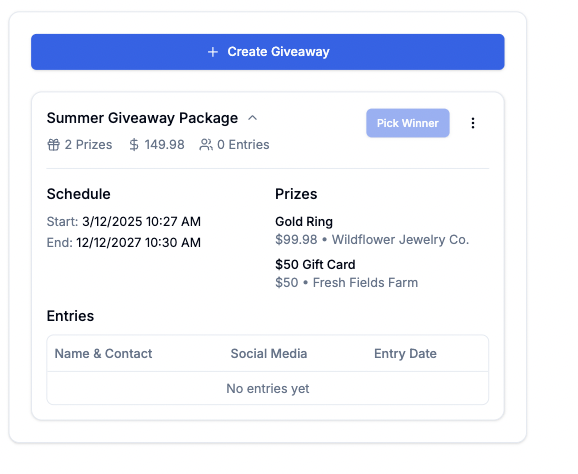 * **View all entries** — see who entered.
* **Pick Winner** — randomly select an entrant.
* **Notify Winner** — send an email with prize claim instructions.
* **Resend notification** — resend the winner email if needed.
## Sharing Your Giveaway
Access the giveaway URL through the three-dot menu:
* **View all entries** — see who entered.
* **Pick Winner** — randomly select an entrant.
* **Notify Winner** — send an email with prize claim instructions.
* **Resend notification** — resend the winner email if needed.
## Sharing Your Giveaway
Access the giveaway URL through the three-dot menu:
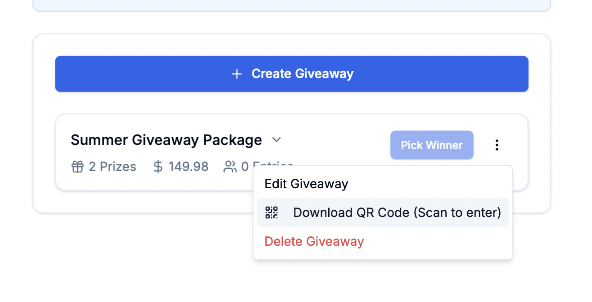 Share your giveaway:
* Through the **Digital Market Guide** (shoppers see it in the Giveaway tab).
* **Direct URL** sharing.
* **QR code** per giveaway (print and display at vendor booths).
* Social media and market communications.
## How Shoppers Enter
Shoppers open the giveaway (from the Digital Market Guide, direct URL, or QR code) and fill out:
Share your giveaway:
* Through the **Digital Market Guide** (shoppers see it in the Giveaway tab).
* **Direct URL** sharing.
* **QR code** per giveaway (print and display at vendor booths).
* Social media and market communications.
## How Shoppers Enter
Shoppers open the giveaway (from the Digital Market Guide, direct URL, or QR code) and fill out:
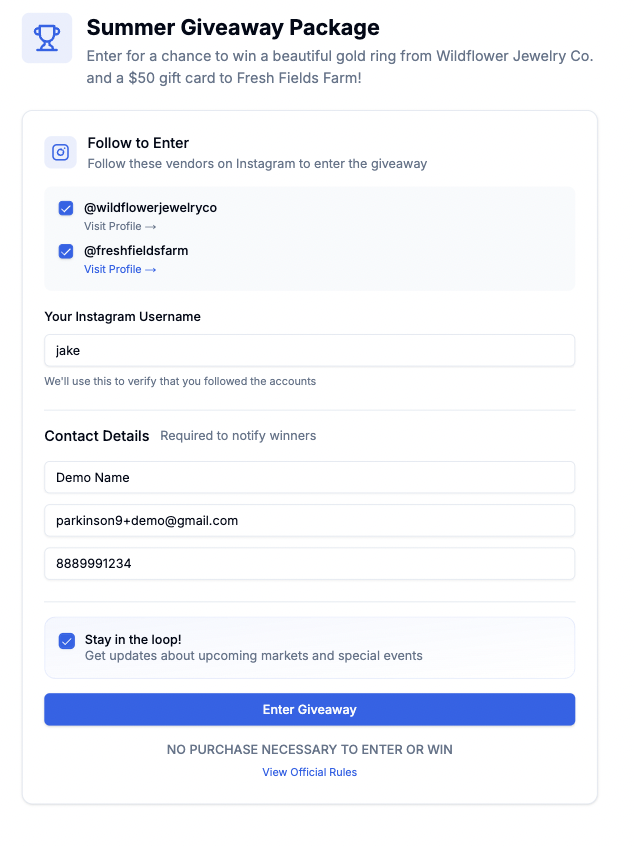 Required information:
* Full name
* Email address
* Phone number
* Social media username(s) (if social follow requirements are configured)
Optional:
* Opt-in for market and vendor marketing emails.
### Post-Entry Experience
After entering:
Required information:
* Full name
* Email address
* Phone number
* Social media username(s) (if social follow requirements are configured)
Optional:
* Opt-in for market and vendor marketing emails.
### Post-Entry Experience
After entering:
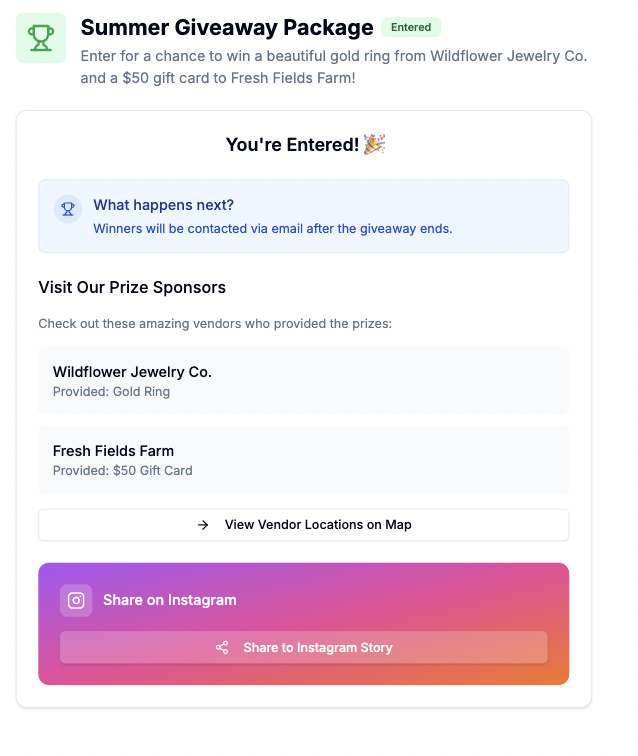 * List of participating vendors.
* Interactive booth map links (find the vendor's booth).
* Social media sharing option.
The post-entry experience drives foot traffic to vendor booths by showing
exactly where participating vendors are located.
## Best Practices
* Include multiple vendors to increase engagement.
* Coordinate prize details with vendors in advance.
* Consider themed giveaway bundles.
* Use the giveaway participation section on the application form to collect prize offers.
* Run giveaways during market hours for maximum entries.
* Plan winner selection during the market event.
* Allow enough time for entries.
* Print QR codes and display at vendor booths.
* Share through all market channels.
* Encourage vendors to promote on their social media.
* Post reminders during the event.
## Frequently Asked Questions
Following vendors on social media builds lasting connections between
shoppers and vendors, extending beyond market day. But it's optional —
you can run giveaways without social requirements.
Winners are randomly selected using the **Pick Winner** button. The system
ensures fair selection from all entries.
Winners receive an email with claim instructions you provide. You
coordinate prize delivery between the vendor and winner.
## Next Steps
Shoppers find giveaways through your market guide
Coordinate prizes with vendors
Help shoppers find participating vendors
* List of participating vendors.
* Interactive booth map links (find the vendor's booth).
* Social media sharing option.
The post-entry experience drives foot traffic to vendor booths by showing
exactly where participating vendors are located.
## Best Practices
* Include multiple vendors to increase engagement.
* Coordinate prize details with vendors in advance.
* Consider themed giveaway bundles.
* Use the giveaway participation section on the application form to collect prize offers.
* Run giveaways during market hours for maximum entries.
* Plan winner selection during the market event.
* Allow enough time for entries.
* Print QR codes and display at vendor booths.
* Share through all market channels.
* Encourage vendors to promote on their social media.
* Post reminders during the event.
## Frequently Asked Questions
Following vendors on social media builds lasting connections between
shoppers and vendors, extending beyond market day. But it's optional —
you can run giveaways without social requirements.
Winners are randomly selected using the **Pick Winner** button. The system
ensures fair selection from all entries.
Winners receive an email with claim instructions you provide. You
coordinate prize delivery between the vendor and winner.
## Next Steps
Shoppers find giveaways through your market guide
Coordinate prizes with vendors
Help shoppers find participating vendors